School Intercom, PA and Mass Notification Systems: A Buyer's Guide for Administrators
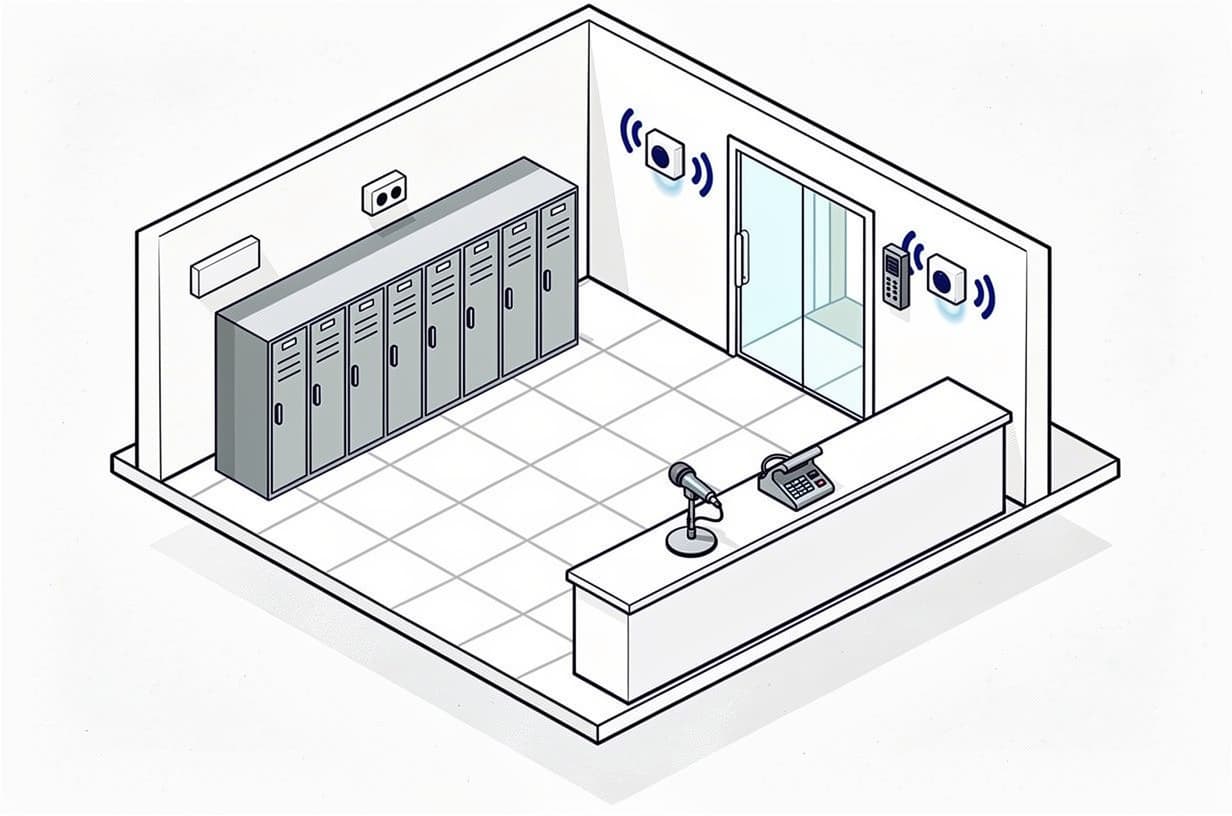
Table of contents
- What a school intercom and PA system actually includes
- Analog, IP or wireless: choosing the architecture
- Bells, clocks and the daily schedule
- Lockdown announcements and mass notification
- Entry intercoms at the secure vestibule
- Funding sources for school intercom and notification projects
- What school intercom, PA and entry systems cost installed
- How to get quotes you can actually compare
- Frequently asked questions
An intercom system for schools is no longer a box in the front office with a microphone and a bell timer. It is now expected to do four jobs at once: everyday paging and bells, two-way classroom-to-office calls, screening visitors at a secure vestibule, and delivering a lockdown or shelter announcement to every room, hallway and playing field within seconds. Those four jobs pull the design in different directions, and the cost of getting the scope wrong is real. One large Florida district's intercom upgrade for 53 high schools ran into multi-year delays after the scope drifted from "intercom" into "emergency communications system," a change its auditors later estimated added roughly $150,000 per school for devices that sat unused (Broward County Public Schools performance audit, 2024).
This guide walks through what administrators and facilities directors need to decide before a contractor quotes: the architecture (analog, IP or wireless), how bells and clocks ride on the system, how lockdown announcements and mass notification tie in, what belongs at the front entrance, which grants pay for it, and what installed costs look like. Two questions run through all of it: whether the intercom is a life-safety system in the eyes of your fire marshal, and what "wireless" actually means in a bid.
What a school intercom and PA system actually includes
Every system has five layers:
- Head-end. The controller, amplifiers and (on IP systems) a server or cloud service that routes audio, stores schedules and logs calls. On legacy systems this is a rack in the office or MDF; on IP systems it may be a single appliance or software on a district VM.
- Classroom endpoints. A ceiling or wall speaker plus a call switch (sometimes a handset or a touchscreen) in every teaching space. The call switch is what lets a teacher reach the office with one press, and it is also where a silent emergency call option can live.
- Zone and common-area speakers. Corridors, gym, cafeteria, auditorium, outdoor horns for fields, pickup loops and portables. These are what fail intelligibility tests when they are sized on price rather than acoustics.
- Admin consoles. Desk stations or softphones in the front office, principal's office and, in larger schools, the SRO office and nurse. Every console should be able to initiate a building-wide emergency page.
- Integrations. Bell schedules and synchronized clocks, the phone system (SIP), access control and lockdown buttons, the mass notification platform, and, if the system will be used for emergencies, the fire alarm.
Analog, IP or wireless: choosing the architecture
Schools generally start from one of three positions: a 25V or 70V analog system from the 1990s or 2000s that still works but has no logging or two-way flexibility, a partial IP overlay added during a phone-system replacement, or a new building where everything is being specified at once. The architecture decision drives both the cost and the funding story.
| Architecture | How it works | Best fit | Trade-offs |
|---|---|---|---|
| Analog 25V/70V | Central amplifiers push audio over dedicated speaker wire to passive speakers; call switches run on separate pairs back to the head-end. | Existing buildings with sound wiring and a limited budget; buildings where the network closets cannot take more PoE load. | Lowest per-speaker cost and reuses wiring. No per-endpoint logging, limited zoning, weak integration with software platforms, and hard to prove intelligibility room by room. |
| IP / PoE | Each speaker or call station is a network device powered over Ethernet, addressed individually and managed from software. Platforms in this class include Bogen Nyquist, Rauland Telecenter U, Valcom, AtlasIED and Algo endpoints, often with Singlewire InformaCast for notification. | New construction, buildings with structured cabling to each room, districts that want central management and audit trails across many campuses. | Highest hardware and switch cost; requires PoE budget, VLAN design, patching and a cybersecurity plan. Licensing can be perpetual or subscription, which changes the five-year cost materially. |
| Hybrid overlay | A new IP head-end with analog zone gateways drives the existing speaker wire, while new IP endpoints go in where cabling exists or two-way calling is needed. | A common retrofit path. Bogen's Nyquist case study at San Jacinto USD describes exactly this approach, keeping legacy wiring to limit replacement cost (Bogen). | Two technologies to maintain; the analog zones never gain per-room supervision or two-way talkback. |
| Wireless | Covered below; the term means at least three different things. | Portables, historic buildings, interim coverage, staff duress. | Battery and RF supervision become operational tasks. |
What a wireless intercom system for schools really means
When a principal asks for a wireless intercom system for schools, a contractor may quote any of three things, and only one of them replaces a wired intercom:
- Wi-Fi or proprietary-RF classroom speakers and call stations. These avoid pulling cable to each room and suit portables or buildings where asbestos or plaster makes cabling expensive. They still need power at each unit, and the school's Wi-Fi becomes life-safety infrastructure the moment a lockdown page depends on it.
- Wearable or wall-mounted wireless panic buttons (Centegix CrisisAlert is one K-12 example) that trigger the intercom, strobes and mobile alerts but do not carry voice. Whether they satisfy your state's panic-alert law depends on how they connect to law enforcement; several statutes require a direct link to the local public safety answering point, so confirm the integration before buying. They are typically bought alongside, not instead of, a wired PA.
- App-based mass notification on staff phones (CrisisGo, Raptor, Alertus and similar) that pushes alerts over cellular and Wi-Fi and can trigger IP speakers through integrations.
The Partner Alliance for Safer Schools is blunt about the reliability bar for the second category: a life-safety wireless path should be supervised, resistant to interference and redundant, with devices checking in at least every 200 seconds and alerts on low battery, tamper or inactivity (PASS Duress Systems Recommendations). Ask every wireless bidder how supervision works and what happens on the console when a device goes quiet. If the answer is "nothing," it is not a life-safety device.
Bells, clocks and the daily schedule
Bells are the feature teachers notice first and the one most often broken in an old system. Modern head-ends hold multiple schedules (regular, early release, assembly, testing) and switch between them by calendar; IP systems can push the same schedule to every campus from one console and synchronize wall clocks over the network or via a master clock output. Three details to specify in the bid:
- Distinct tones for class change, lockdown, shelter-in-place and all-clear, so no one confuses a drill tone with a period bell.
- Zone exclusions: the gym during a state test, the pre-K wing during nap, the auditorium during a performance.
- Who edits schedules. Cloud and IP platforms allow role-based access so an office manager can change bells without the IT department, which matters on the first day of school.
Lockdown announcements and mass notification
The design goal for emergencies is one action from any authorized person that reaches everyone through more than one channel. In practice that means a hard button, a classroom call switch sequence or a phone code that simultaneously plays a pre-recorded lockdown message on every speaker, flashes desktop and display alerts, sends staff texts and app pushes, locks perimeter doors through access control and notifies the district and, where law requires it, dispatch. We describe the access-control side of that chain in our guide to lockdown-ready access control and visitor management for schools; the intercom is the audio leg of the same event.
Pre-recorded messages matter more than live paging. In a real event the person at the microphone is frightened and may not be in the office. Record lockdown, lockout, shelter and evacuate messages with the actual wording from your emergency operations plan, play them on a loop until cancelled, and give every classroom endpoint a way to hear a reply from the office. FEMA's school design primer makes the same point: instructions must reach all occupants through multiple channels, with backup power and two-way capability where it helps (FEMA 428 / BIPS 07).
Silent panic alerts and Alyssa's Law
A growing number of states require schools to have a silent panic alert that reaches law enforcement directly. Florida's version requires every public school to run a mobile panic alert system integrated with the local public safety answering point (Fla. Stat. §1006.07, via FindLaw). Texas now requires silent panic alert technology in every classroom, effective from the 2025–26 school year, and allows districts to fund it from the school safety allotment (Texas School Safety Center, SB 838). A federal bill, the ALYSSA Act (H.R. 1524), was introduced in February 2025 but has not been enacted (Congress.gov). Our schools and education security guide keeps a state-by-state table of enacted laws and the practical test we recommend: trigger the alert and confirm it arrives at the dispatcher's screen, not just at the front office.
The intercom's role here is secondary but important. A silent alert should not announce itself over the speakers, but once administrators confirm the emergency, the same platform should be able to escalate to a building-wide announcement without someone walking to a second system.
The question that decides your permit: intercom or emergency communications system?
This is the point where school intercom projects most often go wrong, and it deserves its own conversation with your fire marshal before the RFP is written. NFPA 72, the National Fire Alarm and Signaling Code, treats an in-building mass notification system as an emergency communications system under Chapter 24. That brings requirements for intelligibility, supervised and survivable pathways, secondary power, and a defined interface with the fire alarm control unit so the two systems never talk over each other (third-party summary of NFPA 72 Chapter 24; confirm the edition your jurisdiction has adopted with the AHJ, and see our commercial fire alarm requirements guide for what NFPA 72 does and does not govern). A standalone intercom that does not interface with the fire alarm, and is not relied on for emergency communications, generally does not need to meet those requirements. Get the classification from your AHJ in writing before design.
The Broward County audit cited above shows what happens when that line blurs. The district's building and fire officials ultimately ruled that the new intercom "can only be installed as a standalone intercom system and does not need to meet the requirements of NFPA 72," could not interface with or silence the fire alarm, could be installed without conduit for interior pathways as a result, and that any enhancement to make it an emergency communications system would require a separate permit. By the time that was settled, more than 60 percent of the selected schools had not received a functional intercom within the contracted term (Broward audit, Findings 4, 5 and 9).
Two further points of coordination. First, K-12 occupancies above an occupant-load threshold already require voice evacuation on the fire alarm under the model codes; the requirements guide linked above summarizes the Group E thresholds, and our fire alarm control panel guide explains why voice and emergency-communication panels carry 24 hours of standby plus 15 minutes of full operation rather than the 5-minute alarm baseline. Second, decide early whether your fire alarm voice system or your intercom is the emergency voice path. Either answer can work, but NFPA 72 Chapter 24 requires the two to be coordinated so neither renders the other unintelligible, with supervisory signals when mass notification overrides fire notification appliances.
Entry intercoms at the secure vestibule
The entry intercom is a different product category from the classroom system, even when the same integrator installs both. It is an IP video door station (Aiphone IX series, 2N, Axis and similar) tied to an access-controlled door, a master station or softphone in the office, and ideally the video management system so every release is recorded. PASS guidance recommends video intercoms at visitor entries, integrated with access control and the VMS, with duress and security devices on a segregated VLAN (PASS Safety and Security Guidelines, 6th ed.).
A design pattern worth copying comes from Arlington Public Schools in Virginia, whose security contract standardizes two stations per vestibule: one on the exterior main entrance and one on the interior door leading into the main office, so visitors are screened twice before reaching a corridor (APS Contract 46FY19, Amendment 6). The same public pricing schedule lists an Aiphone IX-DV surface-mount video door station at $916.94, the flush-mount IX-DVF at $1,007.12, an IX-MV7 touchscreen master station at $1,093.90, and a blue lockdown push-button at $61.59, with tradesman labor at $79.48 an hour. Those are unit prices under a negotiated contract; a one-off project will pay more per unit, but they are a sound reality check on any quote that puts a single door station in the five figures.
Specify the entry intercom with the vestibule, not after it. The door station, electric strike or maglock, request-to-exit, door position switch and visitor-management kiosk share one controller and one permit, and the per-door economics are covered in our access control installation cost guide.
Funding sources for school intercom and notification projects
A full intercom replacement rarely fits an operating budget. The common sources, and what each will and will not cover:
- COPS School Violence Prevention Program (SVPP). The federal program under the STOP School Violence Act offers up to $73 million for FY26, three-year awards with a maximum federal share of $500,000, a local match of at least 25 percent, and roughly $1 million reserved for microgrants up to $100,000. Eligible purpose areas include "acquisition and installation of technology for expedited notification of local law enforcement during an emergency" and "locks, lighting, and other deterrent measures." School districts and school boards apply; individual public schools and private schools cannot be the primary applicant (COPS Office, SVPP). Read that purpose language carefully: a panic-alert and notification layer tied to law enforcement response fits squarely; new speakers for bell schedules do not, unless they are the delivery path for the alert. The FY26 window has closed, so the next solicitation is the planning target.
- State school safety allotments and grants. Texas lets districts fund classroom panic alerts from the school safety allotment under Education Code §48.115; HB 3 set it at $10 per student in average daily attendance plus $15,000 per campus, with eligible uses including fencing, door and window upgrades, cameras and silent panic-alert technology (confirm current figures with TEA). Florida's Safe Schools and mobile panic alert line items and Georgia's grants under HB 268 are similar in spirit. Our schools guide tracks the major state programs.
- Bond and capital programs. The usual source for a whole-building replacement; confirm your bond language. Bundling intercom with the fire alarm and access-control scopes in one package lets the fire-alarm interface be designed once.
- E-Rate. The Schools and Libraries Program funds data transmission, internet access and Category Two internal connections such as switches, cabling and wireless access points used for broadband (USAC Eligible Services List). Intercom speakers, call switches and paging head-ends are not among the listed categories, so confirm with USAC or your state E-Rate coordinator before counting on it for any component. The network switches that will power IP speakers may be partially fundable where they serve the school's broadband network; if so, keep the cost allocation documented.
What school intercom, PA and entry systems cost installed
Published, verifiable price points for school intercom work are scarce because most of it moves through district contracts and cooperative purchasing vehicles, and our own schools guide publishes whole-school security budgets (all systems together, $50,000 to $150,000 installed for an elementary school) rather than intercom-only figures. The ranges below are planning ballparks built around the public contract and bid data cited in this article. They are not quotes, and a line-item bid for your building will differ.
| Line item | Typical installed range | Notes |
|---|---|---|
| IP classroom endpoint (PoE speaker with call switch, cabled) | $600 – $1,500 per room | Cable pull and PoE port are a large share of the cost; existing structured cabling to the room brings it to the low end. |
| Analog speaker replacement on existing wiring | $150 – $400 per room | Reuses 25V/70V wiring; no per-room supervision or talkback upgrade. |
| Head-end (IP controller/server, amplifiers, analog gateways, admin consoles) | $10,000 – $40,000 per building | Controller, amplifier count and admin console count drive the base; head-end redundancy and multi-campus licensing push toward the top. |
| Common-area and outdoor speakers/horns | $400 – $1,500 each | Gyms, cafeterias and fields; outdoor runs need conduit. |
| Secure vestibule video intercom (two stations, master station, integration) | $3,500 – $9,000 per entrance | Hardware at or near the APS unit prices above plus labor, licensing, VMS and access-control programming; door hardware is priced separately. |
| Mass notification software | $1,500 – $6,000 per school per year | Usually priced per school or per student, with add-ons for wearable buttons and PTT handsets. For scale, the Alertus cloud suite in the Arlington contract above is a single $31,081 district-level line item. |
| Wearable panic-button system | $8,000 – $25,000 per school plus annual subscription | Depends on staff count and building size; verify PSAP integration if your state requires it. |
| NFPA 72 Chapter 24 upgrade (if the system becomes an ECS) | Can approach or exceed the base intercom cost | Conduit, survivable pathways, supervised amplifiers, secondary power and FACU interface. Broward's auditors put that scope change at roughly $150,000 per high school. |
At whole-building scale, a 25-classroom elementary school retrofit that reuses wiring and adds an IP head-end, office consoles and an entry intercom usually lands between $35,000 and $80,000. A full IP replacement in a 60-classroom high school with outdoor coverage, multiple consoles and notification integration commonly runs $120,000 to $300,000. For comparison, Broward's 53-school program was budgeted at roughly $15 million over three years before its scope change, or about $280,000 per high school, and a 2026 Riverside Unified School District bid to remove and replace the public address systems at two campuses with Rauland Telecenter U carried a construction cost estimate of $150,000 and a 20-day contract time (Riverside USD Bid No. 2026/27-12). District-wide programs across dozens of buildings run into the millions, which is why they are phased against grant cycles.
What moves the number
- Cabling. Whether every room already has a data drop is the largest variable in most IP jobs.
- Permitting classification. Standalone intercom versus emergency communications system, settled with the AHJ in writing before design.
- Licensing model. Perpetual software with annual support versus subscription per endpoint. Ask for a five-year total, not a year-one price.
- Prevailing wage and school-calendar scheduling. Summer-only installation windows compress labor and raise rates.
- Who holds the prime contract. Intercom, access control, video and fire alarm are frequently four vendors. One integrator coordinating all four reduces the coordination gaps that produced Broward's unused equipment.
How to get quotes you can actually compare
Because the same words ("wireless," "mass notification," "lockdown integration") describe very different scopes, intercom quotes are among the hardest in school security to line up. When we scope a school project for quotes, we standardize the building profile first: classroom and common-area counts, existing wiring and PA brand, the phone platform, the access-control platform, whether the fire marshal has classified the system as standalone or ECS, the state panic-alert requirement, and the funding source and its deadline. Contractors then price the same thing, and the differences that remain are real differences in equipment, labor and terms.
We also check that each contractor holds the right state low-voltage or alarm license (in Arizona, for example, one classification covers alarm, intercom and public-address work), carries current liability insurance confirmed by certificate, has a clean review and complaint history, and actually serves your area, before any introduction is made. Ask bidders for named K-12 references as part of your own evaluation. The process is explained on our how it works page and costs the district nothing; contractors pay for the introductions, and we do not install, monitor or sell equipment.
Ask every bidder for the following, in writing:
- A per-endpoint price for classrooms, common areas and outdoor zones, with cabling broken out.
- Head-end hardware, software licensing and annual support as separate lines, with the five-year total.
- Whether the proposal is a standalone intercom or an NFPA 72 Chapter 24 system, and the AHJ correspondence that supports the classification.
- The lockdown sequence end to end: what triggers it, what plays, which doors lock, who is notified, and how it is cancelled.
- Integration method and responsibility for the phone system, access control, VMS, notification platform and fire alarm.
- Supervision and battery reporting for any wireless component.
- Acceptance testing: intelligibility measurements by space, a full lockdown drill before sign-off, and training for office staff.
- Equipment ownership at the end of any subscription term.
If you are at the stage of pricing a school intercom, PA or notification project, you can request comparable quotes for a school and we will scope it with you before any contractor is introduced.
Frequently asked questions
Can a school intercom replace the fire alarm voice evacuation system?
Only if it is designed, permitted and installed as an emergency communications system under NFPA 72 Chapter 24, with survivable pathways, secondary power, supervision and a defined interface with the fire alarm control unit. A standard intercom cannot take priority over or silence the fire alarm. Many districts keep the two systems separate and document which one carries emergency voice.
Does an IP intercom system need its own network?
It needs its own VLAN, PoE budget and quality-of-service rules, and the switches that power it need backup power if the system is expected to work during an outage. PASS recommends keeping duress and security devices on a segregated network. A separate physical network is rarely necessary, but the IT department must treat the intercom VLAN as life-safety infrastructure.
How long does a school intercom installation take?
It depends on cabling, permit classification and the school-calendar windows available for work. Riverside USD's two-campus PA replacement bid allowed 20 days of contract time; Broward's 53-school program stretched across years once the permit classification was disputed. Ask each bidder for a schedule tied to your summer and break windows and for the permit path they assume.
Will a grant pay for a new intercom system for schools?
Usually only the emergency-notification portion. COPS SVPP funds technology for expedited notification of law enforcement and other deterrent measures with a 25 percent local match; state safety allotments vary; E-Rate's eligible services list does not include intercom or paging equipment, so confirm with USAC before budgeting on it. Bond and capital funds remain the usual source for whole-building replacements.
What is the difference between a PA system and a mass notification system?
A PA system delivers audio inside the building. A mass notification system delivers an alert through multiple channels at once: speakers, desktop pop-ups, digital signage, text, email, mobile apps and, where configured, outdoor sirens and dispatch. In modern schools the PA is one output of the mass notification platform rather than a separate system.
Ready to get started?
Talk to our team and see how we can help.