Panic Buttons and Duress Alarms for Businesses: Options, Monitoring and Costs
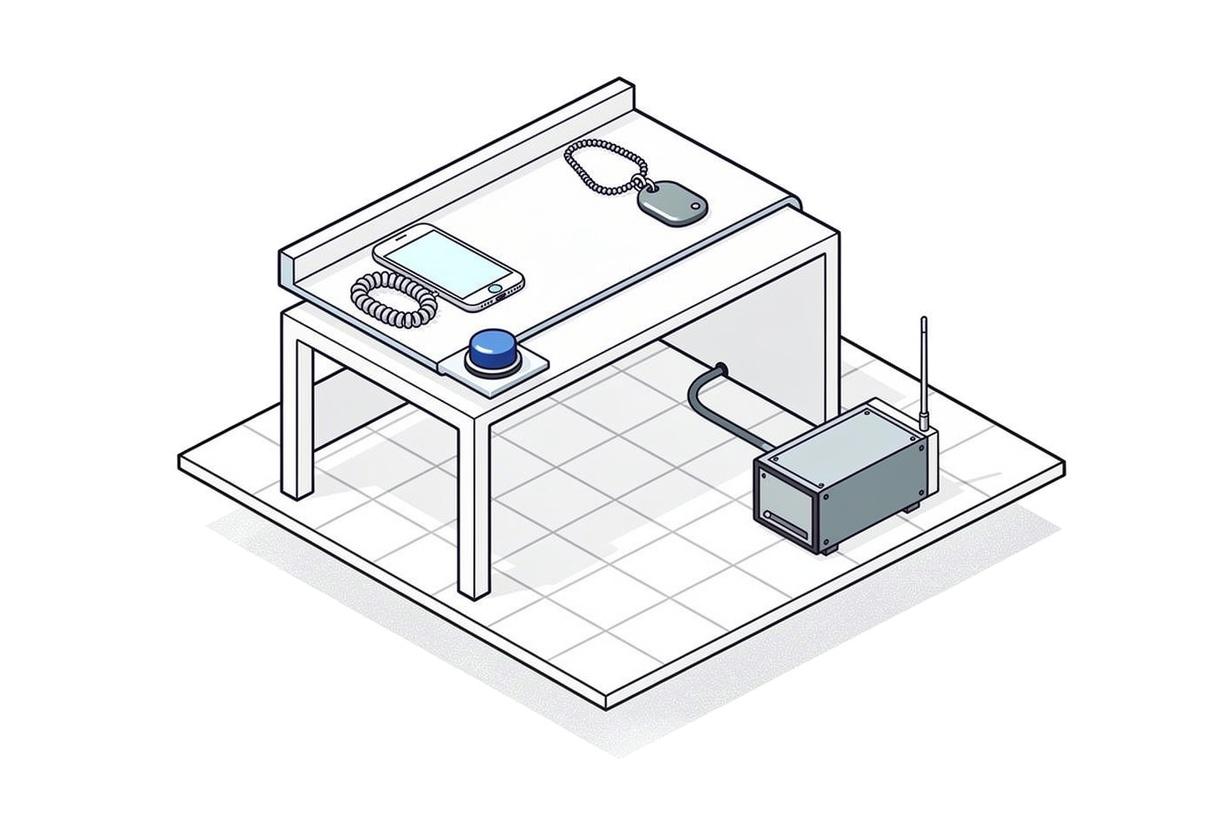
Table of contents
- How a panic alarm for business differs from a burglar alarm
- Silent vs. audible duress alarms
- Panic button options for businesses
- How central stations dispatch on panic signals
- Integration with intrusion panels, access control and video
- Where panic buttons are required, not optional
- What a panic button alarm system for business costs: installed and monthly
- What to put in the scope for silent alarm systems for business
- Frequently asked questions
A panic alarm for business is the one part of a security system that is designed to be used while people are in the building and the threat is standing in front of them. Everything else on an intrusion panel assumes the premises are empty. A panic button, hold-up button or duress code assumes the opposite: a cashier facing a robbery, a receptionist with an agitated visitor, a nurse alone in an intake room, a teacher who needs police on site without announcing it. That changes how the device is wired, how the central station treats the signal, and what you should be paying for it.
This guide covers the device options (fixed, wireless, keypad duress and mobile), the silent-versus-audible decision, what actually happens at the monitoring center when a panic signal lands, how panic ties into access control lockdown, and what installed and monthly costs look like in 2026. It also flags the rules that require, or will soon require, these devices: federal bank security regulations, New York's Retail Worker Safety Act from 2027, Alyssa's Law in more than a dozen states and cannabis licensing rules.
The short version on cost: adding a button to a monitored intrusion panel typically runs $75 to $300 installed per device, with the button itself costing $10 to $150; app and wearable platforms are per-user or per-site subscriptions (roughly $15 to $25 per user per month for workforce apps, around $8,000 per school per year for badge-based school systems); and if you have no monitored panel at all, that is the real expense.
How a panic alarm for business differs from a burglar alarm
On the panel, a panic or hold-up device sits on a 24-hour zone. It reports whether the system is armed or disarmed, which is the point: robberies happen during business hours when the intrusion system is off. Three other programming differences matter when you compare quotes:
- No entry or exit delay. A door contact has an entry delay so staff can disarm; a hold-up zone transmits instantly.
- No abort window. The ANSI/SIA CP-01 false-alarm-reduction standard sets a 15 to 45 second abort window (default 30) for non-fire intrusion alarms so an accidental trip can be cancelled. A hold-up signal is designed to go out without that delay, so CP-01 addresses false alarms on the hardware side instead: it requires that duress, hold-up and panic buttons be mechanically designed to minimize accidental activation. In practice, commercial hold-up switches use recessed or dual-action designs rather than a single exposed button.
- A distinct signal type. The panel sends a specific hold-up or duress event code (not a generic burglary code) so the central station follows its hold-up protocol rather than calling the premises to ask if everything is fine.
Our intrusion detection system explainer covers zones, partitions and duress codes in more depth if you are specifying a full panel.
Silent vs. audible duress alarms
The first design decision is whether anyone on site should know the button was pressed. For robbery and hostile-person scenarios the standard design is silent: the device reports to the central station without any local indication, and the station follows its hold-up protocol rather than a normal premises call. An audible alarm during a robbery can escalate the encounter and tells the offender that a response is coming. Audible or visible alerts have their place in a different set of scenarios: a lone worker in a back-of-house area who wants coworkers to come, a school classroom that needs a building-wide lockdown signal, or a clinic where a code-gray response team is the intended responder rather than police.
| Design | What happens locally | Who responds | Typical use |
|---|---|---|---|
| Silent hold-up | Nothing visible or audible on site; keypad may show nothing | Central station dispatches police as a robbery in progress | Cash registers, teller lines, cash offices, dispensary counters, reception desks with cash or controlled substances |
| Silent duress with internal alert | No siren, but a discreet notification to a manager, security desk or smartphone group | In-house security or management first, police if escalated | Offices, clinics, hotels, large retail floors (this is the model New York's Retail Worker Safety Act specifies) |
| Audible / visual | Siren, strobe, PA announcement, door lockdown | Everyone in the building plus police | Schools, campuses, warehouses with lone workers, any active-threat scenario where clearing people out matters more than discretion |
| Dual mode | Short press = silent, long press or two buttons = audible/lockdown | Depends on activation | Front offices in schools, healthcare triage, hospitality front desks |
Specify the mode per location, not per building. A retail store might reasonably run silent hold-up at the registers and an audible staff-assist button at the loading dock.
Panic button options for businesses
Fixed hardwired buttons
The classic hold-up switch mounts under a counter, desk or teller station and wires back to the intrusion panel. Hardware is cheap: OEM stainless hold-up switches list for under $10 and branded fixed panic buttons from Bosch, Honeywell/Resideo and DSC run roughly $18 to $105 per unit at distribution. The cost is in the cable path and labor. Hardwired is still the right answer where the position is permanent (registers, teller lines, pharmacy counters), because there is no battery to supervise and no radio range to worry about.
Wireless fixed and portable buttons
Wireless hold-up buttons from the same manufacturers (Honeywell 5802 series, Bosch RFPB, DSC PowerG panic keys) list at roughly $36 to $146 per device and mount anywhere within range of the panel's receiver, or clip to a lanyard or belt. The trade-off is supervision: a wireless button needs the panel to check in on its battery and signal, and a pendant that walked out the door in a coat pocket will trigger a trouble condition or, worse, silently stop working. For portable use inside one building (a manager who moves between the floor and the back office, a nurse who moves between rooms) a supervised wireless pendant on the commercial panel is the cheapest way to get coverage without a separate platform.
Keypad duress codes
Commercial intrusion panels commonly support a duress code: a second user code that disarms the system normally but sends a silent hold-up signal to the central station. It costs nothing but programming time and training, and it covers the specific scenario of an employee being forced to open the building and disarm the alarm. It does not replace a button, because it only works at the keypad.
Mobile apps and wearable badge platforms
Where staff move between buildings or across a campus, or where you need the responder to know which room the alert came from, the panel-based approach runs out. This is the territory of dedicated platforms: smartphone apps such as Rave Panic Button and SaferWatch, and wearable badge systems such as CENTEGIX CrisisAlert. Pricing is a software model rather than a hardware one: the SaferWatch FAQ and the Rave app listings both describe free apps that require an organizational subscription; workforce safety apps such as Mitti publish per-seat pricing around $24 per user per month, with competitors around $15 per user with 20-seat minimums; and a Georgia legislative discussion reported by GovTech put CENTEGIX at roughly $8,000 per school per year. Our school intercom and mass notification guide budgets wearable panic systems at $8,000 to $25,000 per school plus an annual subscription.
Two questions separate serious mobile and wearable products from the rest: does the alert reach the 911 center (PSAP) directly or only your own staff, and does it work when Wi-Fi and cellular are down? Ask for a demonstration of the actual path to dispatch before signing a subscription.
How central stations dispatch on panic signals
This is where panic monitoring differs most from ordinary alarm monitoring, and where a cheap quote can hide a weak response.
For burglar alarms, Enhanced Call Confirmation (formerly Enhanced Call Verification) has the operator make at least two calls, first to the premises and then to a second responsible number, before requesting police dispatch. Hold-up, panic and duress signals are carved out of that process, along with fire and video-verified alarms. Because the signal is manually activated by someone who is presumably in danger, the operator does not call the premises first. The signal is relayed to police as a robbery or panic in progress, and then the operator works the call list. Our Los Angeles guide shows a typical example: the city's verified-response restrictions on burglar alarms explicitly exclude robbery, duress and hold-up activations.
That no-questions-asked response is exactly why false hold-up alarms are penalized more heavily than false burglar alarms. Dallas, for instance, allows three free false burglar alarms a year but fines business hold-up and panic false alarms at $100 for the first, $200 for the second, $300 for the third and $400 thereafter; San Antonio charges $200 to $500 per false robbery alarm (see our Dallas guide and commercial alarm system cost guide). Check your own city's alarm ordinance before you decide how many buttons to install and who gets one.
When you compare monitoring proposals, confirm in writing:
- That hold-up and duress zones are flagged for immediate dispatch without premises verification, and whether the station has a direct automated link (ASAP-to-PSAP) to your local 911 center or relays by phone.
- The cancel procedure. A legitimate cancel on an accidental press needs a passcode from an authorized person; a robber cannot be allowed to cancel by answering the phone politely.
- Whether the station can put individual zones in test mode so staff can be trained and buttons exercised without a dispatch.
- How trouble and low-battery signals on wireless buttons are reported to you, and how fast.
- Whether there is any additional monthly charge for panic zones. Practice varies: some providers fold hold-up zones into the existing account at no charge, others bill a few dollars per device per month, particularly for wireless pendants. Get it as a line item.
Our business alarm monitoring page explains call lists, supervised signals and dual-path communication, all of which matter more for hold-up than for after-hours burglary.
Integration with intrusion panels, access control and video
The value of a panic button comes from what a single press can trigger across systems.
Intrusion panel. The panel is still the most reliable place to land a hold-up signal because it has a supervised, battery-backed, dual-path (IP plus cellular) communicator that the central station already monitors. If you are adding panic to an existing system, this is normally a matter of adding a zone or a wireless receiver. If the installer tells you the panel is full or the programming is locked, our guide to alarm takeovers and locked panels explains your options.
Access control lockdown. Modern access control platforms accept an input from a panic button or a software trigger and execute a lockdown: lock perimeter doors, optionally lock interior zones, suspend visitor badging. Two constraints apply. First, lockdown must never prevent people from leaving; the access control page covers the free-egress requirement and why you should test the behavior on real doors. Second, decide deliberately whether the panic input triggers the lockdown automatically or only alerts a person who then decides. Schools commonly configure one-action lockdown. For a retail robbery, automatically locking the perimeter can work against staff by trapping them with the offender, so most stores will want a person to make that call. Our access control cost guide puts lockdown and emergency-system integration at $500 to $1,500 per door on top of the base system for school projects.
Video. At minimum, a panic event should bookmark the recorder so the footage is easy to find. Better integrations push live video of the relevant camera to the central station operator or to the manager's phone, which turns a blind dispatch into a described one. Video-verified monitoring carries a premium (our monitoring cost guide documents $50 to $150 per camera per month for commercial video verification), so limit it to the cameras covering panic positions.
PA and mass notification. For audible designs, the panic input can fire a pre-recorded announcement, strobes and a text/email blast. Keep the silent hold-up zones out of this logic entirely; one mis-mapped output can turn a silent robbery alarm into a very loud one.
Where panic buttons are required, not optional
Most businesses install panic buttons because the risk assessment says so. A growing number install them because a regulator does.
- Banks. Federal bank security regulations implementing the Bank Protection Act require, at minimum, an alarm system or other appropriate device for promptly notifying the nearest responsible law enforcement officers of an attempted or perpetrated robbery, burglary or larceny, plus initial and periodic employee training on conduct during and after a robbery (12 CFR 21.3 for national banks; 12 CFR 208.61 for Fed member banks). The rule does not name a device type; the bank's designated security officer decides how to meet it, and a monitored hold-up alarm is the conventional answer.
- Large New York retailers. Under the Retail Worker Safety Act (Labor Law §27-e), starting January 1, 2027, retail employers with 500 or more employees statewide must provide employees with a silent response button that requests immediate assistance from a security officer, manager or supervisor, and train them on its use, per the New York Department of Labor. Earlier versions of the bill defined a PSAP-connected "panic button" instead; the enacted and amended text specifies the internal response path. The design implication: a store that already has register hold-up buttons reporting to police may still need a separate staff-assist layer, so confirm the current requirement with counsel before specifying.
- California employers. SB 553 (Labor Code §6401.9) has required most employers to maintain a written Workplace Violence Prevention Plan since July 1, 2024, including hazard assessments, emergency response procedures and a violent incident log, according to Cal/OSHA's employer fact sheet. It does not mandate panic buttons, but a duress button is one control you can document against an identified robbery or hostile-customer hazard; our auto dealership guide lists a desk duress button among SB 553 controls for a sales floor. California healthcare employers have a separate, older workplace violence standard (8 CCR 3342) covered in our healthcare facilities guide, which also explains why clinics should specify fixed duress at reception and intake rooms, wearable duress for lone staff, room-level location and named responders.
- Schools. Alyssa's Law requires silent panic alarms that connect directly to law enforcement in public schools. New Jersey enacted it in 2019 and, according to the advocacy tracker alyssas-law.com, Florida, New York, Texas, Tennessee, Utah, Oklahoma, Louisiana, Georgia, Washington, Oregon, West Virginia, Virginia and Illinois have followed, with Illinois the most recent in August 2026. The requirements differ by state (some mandate, some fund), so confirm your own statute. Our schools and education guide explains why panic alerting should be scoped and priced separately from the after-hours intrusion system.
- Cannabis dispensaries. State licensing rules in Illinois, Massachusetts and Ohio require panic, duress and hold-up alarms, in Illinois with notification to the PSAP. The cannabis dispensary guide covers the state-by-state detail.
- Everyone else: OSHA guidance. OSHA's recommendations for late-night retail list "panic buttons, handheld alarms or noise devices" and "arranging for a reliable response system when an alarm is triggered" among hazard controls, and its guidelines for healthcare and social service workers (Publication 3148) are the equivalent reference for clinics and hospitals. OSHA states that these recommendations are advisory and not a standard, while noting that the General Duty Clause still requires a workplace free from recognized hazards likely to cause death or serious harm. Our healthcare and retail guides translate that into device placement.
What a panic button alarm system for business costs: installed and monthly
Panic devices are inexpensive hardware attached to systems that are not. The honest way to budget is in three layers: the buttons, the panel and communicator they report through, and the monitoring or subscription that makes a press turn into a response.
| Component | Hardware | Installed, added to an existing monitored panel | Recurring |
|---|---|---|---|
| Hardwired hold-up button | $10 – $105 | $100 – $300 per button with a simple cable path; more if ceilings are hard or runs are long | Often none beyond existing monitoring; confirm |
| Wireless fixed button or pendant | $36 – $146 | $75 – $200 per device including enrollment and programming, plus a wireless receiver if the panel lacks one (ask for it as a separate line item) | None to a few dollars per device per month, provider dependent; periodic battery replacement |
| Keypad duress code | $0 | Programming and training only, often included in a service visit | None |
| New monitored panel (if you have none) | — | $1,500 – $4,000 for a small office or storefront, intrusion only; cellular communicator $250 – $800 installed if not included | $30 – $75 per month for basic commercial monitoring; $5 – $20 premium for cellular or dual-path |
| Mobile app / wearable platform | Badges and location beacons bundled | Setup fees from a few hundred to several thousand dollars per site | Roughly $15 – $25 per user per month for workforce apps; roughly $8,000 per school per year for badge-based school systems |
| Lockdown integration (access control) | — | $500 – $1,500 per door on top of the base system (our published allowance for school projects) | Platform license, if cloud-based |
Hardware figures are from current distributor listings; the add-on labor ranges are from one installer's published pricing guide and will vary by market; the panel, monitoring and integration figures come from our alarm system, monitoring and access control cost guides. Treat them as planning ranges, not quotes.
Three things move the number more than the button itself. A minimum service-call charge makes a single wireless button expensive and four buttons cheap, so bundle the work. Monitoring contracts for commercial accounts commonly run 36 to 60 months with auto-renewal; adding panic zones is a good moment to renegotiate rather than extend blindly, and our monitoring contract scorecard lists the terms to check. And mobile or wearable platforms are subscriptions with per-user minimums, so under a 20-user minimum a 12-person clinic pays the same as a 20-person one.
What to put in the scope for silent alarm systems for business
Contractors price what you describe. A request for "panic buttons" produces quotes that are impossible to compare: one bidder includes two wireless pendants, another includes six hardwired switches and a receiver, a third proposes a wearable platform. Before you ask anyone to price it, write down:
- Positions. Every fixed location (register 1, register 2, cash office, reception, pharmacy window) and every role that needs a portable device.
- Mode per position. Silent hold-up to police, silent staff-assist, or audible/lockdown.
- Response path. Central station to police; manager's phone; both. Name the responders.
- Integration outputs. Video bookmark, lockdown, PA announcement, text alert. Specify which zones trigger which outputs.
- Testing and training. Scheduled button tests in test mode (agree the frequency with your monitoring provider), duress code drills, and who signs off.
- Commercial terms. Separate line items for hardware, labor, monitoring and any subscription; equipment ownership; who holds the installer code.
That is the same scoping work we do when a business asks us for quotes. We do not install or monitor anything; we build a single scope document from your building profile and route it to a small number of contractors who are licensed in your state, carry current insurance and have installed in your building type, so the quotes that come back price the same positions, modes and monitoring handling. It is free to the business, and you see who the contractors are before anyone calls. Details are on our how it works page, and the quote request form takes about five minutes.
Frequently asked questions
Do panic buttons require a separate monitoring contract?
Not when they are added to an existing monitored intrusion panel: the hold-up zones report through the same communicator and account. Some providers include them at no charge, others add a small per-device monthly fee, so ask. A standalone wearable or app-based platform is a separate subscription, typically billed per user or per site.
Will the monitoring center call before sending police on a panic alarm?
No. Hold-up and duress signals are excluded from the two-call verification that applies to burglar alarms. The operator relays the signal to police immediately and then contacts your call list. That is also why false hold-up alarms draw higher municipal fines than false burglar alarms.
Should a commercial panic alarm system be silent or audible?
Silent for robbery and hostile-person scenarios, where an audible alarm can escalate the encounter. Audible or visual for active-threat and lone-worker scenarios, where the goal is to move people and summon coworkers. Many buildings need both, specified per position.
Can a panic button trigger an access control lockdown?
Yes. Most access control platforms accept a panic input and can lock perimeter doors, lock interior zones and suspend visitor badging. Lockdown must still allow free egress, and you should decide whether the lockdown fires automatically or only after a person confirms, since automatic lockdown is wrong for some scenarios, such as a retail robbery.
What does it cost to add panic buttons to an existing alarm system?
Plan on roughly $100 to $300 installed per hardwired button and $75 to $200 per wireless button, plus a one-time receiver if the panel lacks one. Ask whether the monitoring fee changes; often it does not, but some providers bill per device. Minimum service-call charges make it cheaper per button to install several at once.
Are panic buttons legally required for my business?
Federal rules require banks to have an alarm system or other appropriate device to promptly notify law enforcement of a robbery. New York retailers with 500 or more employees must provide silent response buttons from January 1, 2027, public schools in the states that have adopted Alyssa's Law need silent panic alarms, and licensed cannabis businesses in states such as Illinois, Massachusetts and Ohio must install panic, duress and hold-up alarms. Elsewhere they are a recommended control under OSHA workplace violence guidance.
Ready to get started?
Talk to our team and see how we can help.