Best Cloud Based Video Surveillance Systems for Business in 2026: License Fees, Ownership and Installers Compared
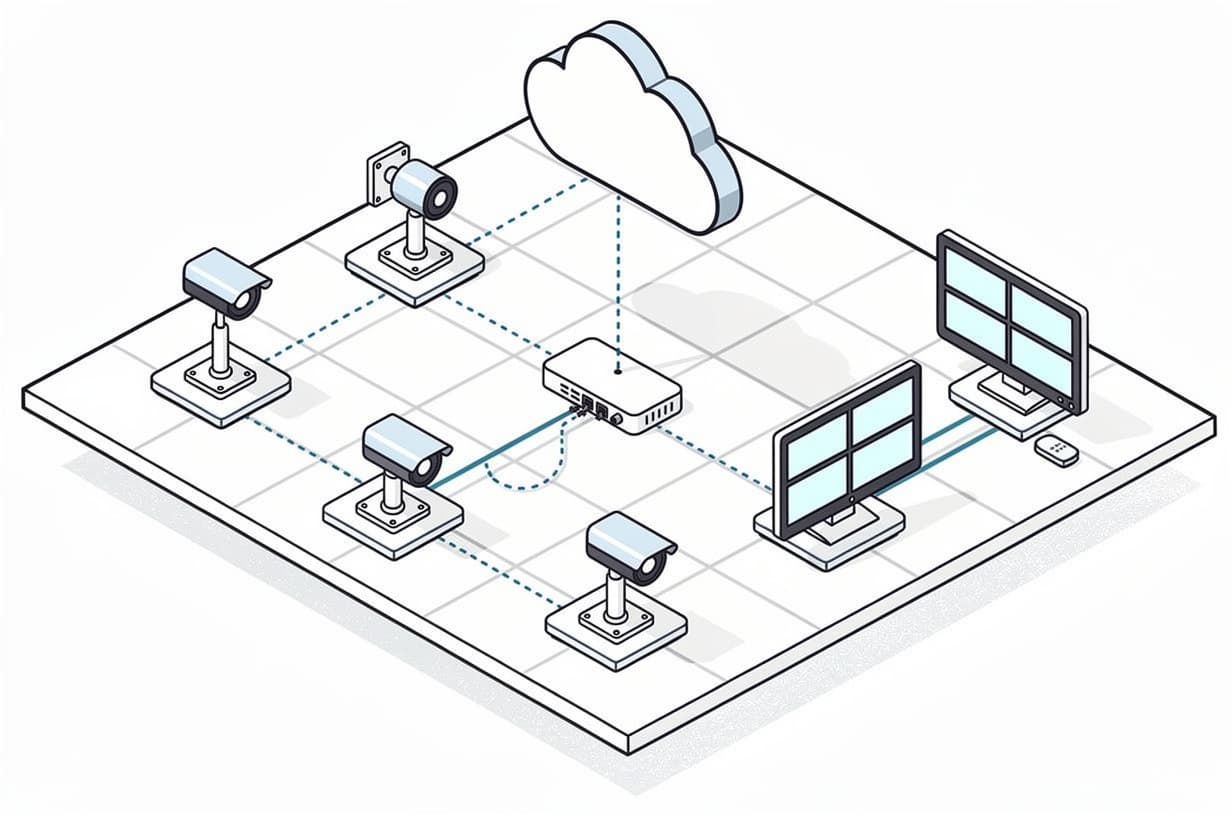
Table of contents
- Short answer (October 2026)
- What cloud video surveillance (VSaaS) is, and the three ways it is built
- Cloud-based video surveillance system comparison: seven platforms
- Platform profiles
- The five-year cost model: 8 and 16 cameras
- Ownership and lock-in: day one, renewal, cancellation
- Practical checks before you sign
- Which platform for which building
- Buying it: platform direct or local installer
- Frequently asked questions
Cloud based video surveillance is now the default pitch in most commercial camera quotes, and the pitch is often fair: no recorder to maintain, every site in one dashboard, footage that survives a break-in. What it leaves out is that it is a subscription with a per-camera license, and the license is where the five-year cost lives. This roundup compares the seven platforms buyers most often shortlist, puts a sourced dollar figure on each license where one exists, and spells out what you own if you stop paying. We do not sell or install any of them, so there is no winner to crown, only a better fit by building type.
Short answer (October 2026)
As of October 2026, cloud video surveillance for a business typically costs $10 to $30 per camera per month on subscription plans, or $199 to $1,799 per camera on multi-year licenses bundled with the vendor's own cameras, on top of installation. Verkada lists a 5-year camera license at $999 and Rhombus lists $149 to $199 per camera per year; Avigilon Alta, Eagle Eye Networks, Solink and Securitas Technology are quote-only. For most buyers the shortlist is Verkada or Rhombus for a single-vendor system, Eagle Eye Networks or Spot AI to keep cameras you already own, and Solink for multi-site retail with point-of-sale tie-in. The one question to ask before signing: what exactly happens to the cameras and the footage if the license lapses?
For a warehouse or industrial facility, the best security system is a video platform built around the dock doors, the yard and the gate rather than the interior, paired with intrusion detection and access control on the few doors that matter. In cloud video terms that usually means Verkada or Avigilon Alta where the site wants one vendor's outdoor cameras and plate capture at the gate, Eagle Eye Networks or Spot AI where existing and new cameras must share one dashboard, and a hybrid design with on-site storage wherever the yard runs on cellular or a thin uplink. Our warehouse and industrial security guide sizes this at 8 to 16 cameras for a small warehouse and 20 to 45 for a mid-size one, and notes that acreage, not camera count, drives the price.
What cloud video surveillance (VSaaS) is, and the three ways it is built
A cloud-based video surveillance system records and manages camera footage through a vendor-hosted platform instead of a network video recorder (NVR) in your comms closet. You pay a recurring license per camera, the vendor maintains the software, firmware and off-site storage, and you view every site from a browser or phone. An NVR is a one-time purchase you own outright; VSaaS is a service you rent for as long as the license is paid.
There are three architectures, and the choice matters more than the brand:
- Fully cloud-native cameras. The camera is the recorder. Verkada and Rhombus cameras carry 30 to 365 days of onboard storage and send only thumbnails and metadata to the cloud until you ask for a clip. Low bandwidth, but the camera only works with that vendor's cloud.
- Hybrid (on-site appliance plus cloud). A bridge or recorder on site stores video and streams to the cloud: Eagle Eye Networks' Bridge and CMVR, Spot AI's Intelligent Video Recorder, Avigilon Alta's Cloud Connector. Standard ONVIF or RTSP cameras plug in, so the cameras are not locked to the platform.
- Cloud connectors for existing cameras. The camera-first vendors now sell an appliance that ingests third-party cameras: Verkada's Command Connector (CC300, $4,499 MSRP for up to 10 channels at 5MP, licenses extra) and Rhombus's Relay Core N100 ($2,999 for up to 10 cameras). This is the path to cloud management without ripping out a working camera estate.
Cloud-based video surveillance system comparison: seven platforms
Prices below are vendor list (MSRP) figures checked in October 2026 and may be discounted by resellers. "Quote-only" means the vendor publishes no per-camera price at all, which is itself a useful data point when you are trying to compare offers line for line.
| Platform | Works with existing cameras | Published price or quote-only | License terms | If the license lapses | Sold through | Best for |
|---|---|---|---|---|---|---|
| Verkada | Yes, via Command Connector appliance (ONVIF Profile S or RTSP) | Published: $219 (1-yr), $599 (3-yr), $999 (5-yr), $1,999 (10-yr) per camera, new or renewal; cameras from $599 MSRP | 1, 3, 5, 10 years, co-termed per organization | Cameras keep recording; Command access lost 30 days after expiry | Resellers and integrators | Single-vendor campuses, schools, offices |
| Rhombus | Yes, via Relay Core N100 or Relay Lite (ONVIF or RTSP) | Published: $149 (Professional) or $199 (Enterprise) per camera per year; $699 for 5-yr Enterprise | Annual, or 3, 5 and 10-year prepaid | Hardware stays yours; cloud services stop; footage on cameras is encrypted and keys supplied for a fee | Authorized resellers or Rhombus sales | Multi-site operators who want open APIs and NDAA cameras |
| Avigilon Alta (Motorola Solutions) | Yes, ONVIF or Axis VAPIX cameras via Cloud Connector | No US price list; a 2024 UK public-sector price sheet shows cloud storage licenses from £137.83 (1-yr, 30-day) to £676.83 (5-yr, 30-day) per camera | 1, 3 and 5-year cloud storage licenses by retention tier | Not published; ask for it in writing | Security integrators; confirm with your installer | Larger sites mixing Avigilon cameras and third-party gear |
| Eagle Eye Networks | Yes, that is the design: ONVIF Profile S and RTSP cameras through a Bridge or CMVR | Quote-only; priced per camera by resolution and retention | Monthly, yearly, 3 or 5-year | Cameras are standard and keep working with any VMS; cloud access ends | Resellers only | Keeping an existing camera estate; multi-tenant and franchise sites |
| Spot AI | Yes, any ONVIF or RTSP IP camera plus analog through its IVR | Reference price of $99 per camera per month cited in Spot AI's own blog; formal quotes through partners | Subscription | Service can be disabled for non-payment after notice; cameras are standard | Channel partners only since May 2026 | Manufacturing, logistics and retail wanting AI search on existing cameras |
| Solink | Yes, most business cameras; appliance supplied | Quote-only; priced per location rather than per camera | Subscription per site | Not published; ask | Not stated publicly; ask who installs the appliance | Multi-site retail and restaurants with POS-linked video |
| Securitas Technology (SecureStat Cumulus) | Yes, compatible IP cameras brought into the cloud | Quote-only; the product page has a subscription packages section but no prices | Subscription, bundled with Securitas service agreement | Not published; governed by the service contract | Securitas Technology installs and services | Buyers who want one national integrator to own install, cloud and monitoring |
Platform profiles
Verkada
Verkada is the fully cloud-native option most buyers have already seen demoed. Every camera carries 30 to 365 days of onboard storage and needs one Command license; the January 2026 pricing catalog lists it at $219 for one year, $599 for three, $999 for five and $1,999 for ten (the same MSRP for new and renewal licenses), with indoor domes from $599 and outdoor bullets to $4,299 MSRP (checked October 2026 via verkada.com/pricing). Thirty days of cloud backup is included; longer cloud retention is a separate license. Ownership caveat: the cameras only talk to Command, and Verkada's licensing help page (published under its Government Solutions documentation, but describing Command licensing generally) says that while devices keep recording after expiry, you lose access to Command 30 days after the expiration date, so no live view, export or settings until you renew. Existing cameras come in through the Command Connector, which accepts ONVIF Profile S and RTSP streams. Sold through reseller partners, so a local low-voltage contractor does the install.
Rhombus
Rhombus is the closest like-for-like alternative to Verkada and the most transparent on price. Its pricing page (checked October 2026) lists cameras from $599 (R200 5MP mini dome) to $3,299 (R600 multisensor) and a per-camera license of $149 per year for Professional or $199 for Enterprise, which adds AI analytics and 30 days of cloud archiving; a 5-year Enterprise license is $699. The license is mandatory: the pricing FAQ states that all cameras require an ongoing license to operate. Ownership is better documented than most: the Rhombus EULA grants a perpetual hardware license and a term-limited service license, confirms you keep the hardware, and says footage on the cameras is encrypted but Rhombus will supply the keys for a reasonable fee after the term ends. Third-party cameras connect through Relay Core (N100, $2,999, up to 10 cameras with 20 to 40 days of local storage) or the free Relay Lite. Sold through authorized resellers.
Avigilon Alta (Motorola Solutions)
Avigilon Alta is Motorola Solutions' cloud line, aimed at organizations that want enterprise analytics and a path to very large camera counts. It suits a buyer with an existing Avigilon or Axis estate: Alta's documentation covers adding third-party ONVIF and Axis VAPIX cameras through a Cloud Connector appliance that also provides on-site storage. Licensing is per camera on 1, 3 and 5-year cloud storage terms by retention tier. Avigilon publishes no US price list; the only public figures we found are on a 2024 UK government procurement sheet (£137.83 for a 1-year, 30-day cloud storage license, £676.83 for 5 years), so in the US treat it as quote-only and have the integrator itemize hardware, connector and license. We could not find a public Avigilon statement on what happens to Alta cameras when a license is not renewed; get that clause in writing. Sold and installed through security integrators.
Eagle Eye Networks
Eagle Eye Networks is the platform to look at when the cameras you own are good and the recorder is the problem. The cloud VMS runs through an on-site Bridge or CMVR that accepts ONVIF Profile S and RTSP cameras (and analog on Combo Bridges), with a Camera Direct option for small sites. Eagle Eye's documentation states that subscriptions are priced per camera on monthly, yearly, 3 or 5-year terms, with the price set by resolution and retention; there is no public price list because it sells exclusively through resellers. Lock-in is structurally lower than on camera-first platforms: the cameras are standard and go back on an NVR or another VMS if you leave, though the Bridge is Eagle Eye hardware and the cloud archive is lost. It holds SOC 2 Type 2 and ISO 27001.
Spot AI
Spot AI pairs an Intelligent Video Recorder with any ONVIF or RTSP camera (and legacy analog) and sells the AI search layer on top. Full-resolution video stays on the IVR with metadata in the cloud, so it behaves as a hybrid system and tolerates poor uplinks. A Spot AI blog post cites $99 per camera per month, but there is no pricing page and the company moved to a 100% channel model on May 1, 2026, so every quote comes through a partner. Its terms of use allow service to be disabled when payment is more than 20 days overdue after notice; the cameras remain standard and usable elsewhere. Spot AI states its cameras are NDAA-compliant.
Solink
Solink is built for multi-location retail and restaurants: it links video to point-of-sale transactions so a loss-prevention manager searches by transaction rather than scrubbing timelines. It is compatible with most business cameras, assesses unlisted models in a virtual walk-through, and is priced per location (on-site appliance included) rather than per camera. Solink publishes no prices and does not state publicly whether it or a partner installs the appliance. It has completed a SOC 2 Type II audit, report available under NDA. Because the cameras are standard, lock-in sits in the appliance and the POS integration; ask how footage is exported if you leave.
Securitas Technology (SecureStat Cumulus)
Securitas Technology is the installer-delivered option here. Its SecureStat Cumulus AI Cloud Video brings compatible IP cameras into the cloud and manages them from its SecureStat HQ platform, with natural-language search. The page has a subscription packages section but publishes no prices, no camera compatibility list and no lapse terms, and everything is quoted and installed by Securitas Technology itself. That is convenient if you want one national integrator to own the whole stack, and exactly why the proposal should break out the camera license, installation labor and monitoring agreement as separate lines with separate terms. Lapse and ownership are governed by the service contract rather than a public EULA, so read the renewal and equipment-ownership clauses as you would a multi-year alarm monitoring agreement, where auto-renewal is the default.
The five-year cost model: 8 and 16 cameras
Every path needs the same cable pulls and mounts, so the differences are in the recorder, the recurring license and the camera hardware. The installed and recorder figures below come from our security camera installation cost guide; the license figures come from the vendor catalogs cited above.
| Line item | Path A: on-premise NVR | Path B: cloud recording on standard IP cameras | Path C: cloud-native camera plus 5-year license |
|---|---|---|---|
| Camera installed (standard commercial IP) | $500 to $900 each | $500 to $900 each | Camera MSRP $599 (Rhombus R200) to $799 (Verkada CD32), plus installer labor |
| Recorder or appliance | $300 to $700 for an 8 to 16 channel NVR, plus one drive replacement over five years | None, or a connector appliance if the platform needs one ($2,999 to $4,499) | None |
| Recurring software | $0 per month | $20 per camera per month (mid-point of the $10 to $30 range) | $699 (Rhombus Enterprise) to $999 (Verkada) per camera, prepaid for five years |
| 8 cameras, five years | $4,300 to $7,900 | $13,600 to $16,800 (+ appliance if required) | $10,400 to $14,400 hardware and license, before labor |
| 16 cameras, five years | $8,300 to $15,100 (more if you step up to a 32-channel recorder) | $27,200 to $33,600 (+ appliance if required) | $20,800 to $28,800 hardware and license, before labor |
The arithmetic for Path B: 8 cameras × $20 × 60 months = $9,600 in subscriptions, on top of $4,000 to $7,200 of installed cameras. For 16 cameras it is $19,200 on top of $8,000 to $14,400. Over five years, 8 cameras cost roughly $4,300 to $7,900 on an on-premise NVR against $13,600 to $16,800 on a $20-a-month cloud plan, and 16 cameras cost $8,300 to $15,100 against $27,200 to $33,600. That is a gap of about $9,000 for 8 cameras at $20 per month; at $30 per month the 16-camera subscription alone reaches $28,800, which is why one installer model we cite puts the five-year gap at $9,000 to $12,000 for 8 cameras and $27,000 to $29,000 for 16.
Path C sits between the two if you prepay: a Rhombus R200 with a 5-year Enterprise license is $1,298 per camera, a Verkada CD32 with a 5-year license is $1,798, plus labor. In year six the renewal is the same price again ($699 or $999 per camera) with no new hardware, while the NVR owner is replacing a drive and possibly the recorder. Cloud only wins on cost when you count what it removes: no recorder to replace, no IT time on firmware, no footage lost when the closet is burgled, one login for every site. Those are worth less to a single building with an IT person than to a 12-site operator with none.
Ownership and lock-in: day one, renewal, cancellation
On day one you own the cameras on every platform here; what differs is whether they are useful without the vendor. On the cloud-native platforms (Verkada, Rhombus) the camera firmware only speaks to that vendor's cloud, so a camera without a license keeps recording to its own storage but cannot be viewed, searched or exported until a license is restored. On the hybrid and connector platforms (Eagle Eye, Spot AI, Solink, Avigilon Alta with third-party cameras, Securitas Cumulus) the cameras are ordinary ONVIF or RTSP devices and will record to any NVR or VMS after you leave; what you lose is the appliance's function and the cloud archive.
Three sourced statements worth keeping on file:
- Verkada: if the license is not renewed, cameras keep recording while connected but access to Command is lost 30 days after the expiration date; recorded footage becomes reachable again only if you renew within the camera's retention window.
- Rhombus: the EULA says no services may be used after the license term ends, you keep the hardware, and it is your responsibility to extract data before termination; footage left on the cameras is encrypted, and Rhombus will assemble the keys for a fee.
- Spot AI: under its terms of use, service can be disabled when payment is more than 20 days overdue after at least 10 days' notice.
At renewal, watch for co-termed licenses: Verkada combines every license in an organization to a single weighted expiry date, so adding ten cameras in year four shifts the whole estate's renewal. On any platform, ask whether the renewal price is contractually capped; the catalogs above are today's list prices, not a promise. On the way out, ask whether you can bulk-export footage before the term ends or only clip by clip and whether the connector appliance has any value if you switch. ONVIF conformance keeps your options open: every platform here that accepts third-party cameras asks for ONVIF Profile S or an RTSP stream, so confirm it on any camera you plan to keep. For new cameras, note that ONVIF is deprecating Profile S (conformance submissions end March 31, 2027), so ask for Profile T conformance as well.
Practical checks before you sign
Upload bandwidth and surveillance video cloud storage
Bandwidth is the line that turns a cheap cloud quote into an expensive one. Platforms that stream every frame to the cloud need roughly 750 kbps per camera continuously, which is Eagle Eye's planning figure (about 40 cameras on a 30 Mbps uplink). Camera-first platforms keep video on the camera and upload thumbnails and metadata: Verkada quotes 20 to 50 kbps per camera at rest, rising to 1 to 3 Mbps while someone watches live, and Rhombus quotes 10 to 30 kbps at rest and 120 to 1,400 kbps streaming. For your site: 16 continuously-streaming cameras need about 12 Mbps of dedicated upload, so check your plan's upload speed rather than its download speed; if an upgrade is needed, it is a recurring line to add to the model. Surveillance video cloud storage is the other hidden tier: 30 days at 1080p is the standard plan, and our cost guide puts 4K or 60 to 90-day retention at $30 to $60 per camera per month, so confirm the retention your insurer or regulator requires before comparing license prices.
What happens when the internet drops
Camera-first and hybrid systems keep recording locally during an outage and sync afterwards; Verkada's help documentation confirms cameras continue to record to onboard storage without internet once activated, Rhombus cameras hold 20 to 365 days on-device, and Eagle Eye Bridges buffer locally while CMVRs store full retention on site. A stream-to-cloud camera with no local storage loses the outage window, so ask for the local buffer in days, not reassurances.
SOC 2 and NDAA for regulated and public buildings
A SOC 2 Type II report is an independent examination of a service provider's controls under the AICPA's SOC framework, and the minimum assurance a healthcare, financial or school buyer should ask of any cloud video vendor; Verkada, Rhombus, Eagle Eye and Solink all publish that they hold one. NDAA compliance refers to Section 889 of the FY2019 National Defense Authorization Act, which bars federal agencies from buying covered telecommunications and video surveillance equipment from the manufacturers named in the Act and, under Part B, from contracting with entities that use it; federal contractors are caught directly, and many schools and public bodies write the same requirement into their own specifications. Verkada, Rhombus and Spot AI state their cameras are NDAA-compliant; on platforms that accept third-party cameras, compliance depends on the cameras you connect. Our office building security guide lists the full cloud due-diligence set: SOC 2 report, data residency, retention and outage behavior.
Which platform for which building
Multi-site retail or restaurants. Where cloud video earns its subscription. Our retail loss prevention guide recommends 8 to 16 cameras per store on one cloud platform across a 3 to 10 location chain, aimed at the register, fitting rooms and back door. Solink if POS-linked search is the priority; Rhombus or Verkada if you also want cloud access control on the same platform (our access control cost guide prices that software at $3.50 to $15 per door per month).
Single office building. The hardest case for cloud on cost alone: 8 to 12 cameras, one site, an IT contact on hand. An on-premise NVR with a free remote-view app is often right; if you still want off-site footage protection, Rhombus's $149-a-year Professional tier is the lowest published entry point of the seven.
Warehouse or yard. The best cloud camera system for a warehouse handles long cable runs, outdoor bullets and plate capture at the gate without streaming 4K continuously over a thin uplink. Verkada's catalog lists outdoor zoom bullets and PTZ cameras and its platform reads license plates, Avigilon Alta sells a license-plate-reader license, and both keep the yard recording on local or appliance storage when the connection drops; Eagle Eye and Spot AI fit a site that already has decent dock cameras and wants AI search and cloud access without replacing them. Budget a camera per dock door, a wide yard view and a dedicated plate camera at the gate, as the warehouse guide lays out.
School or campus. NDAA-compliant cameras, SOC 2, and a license a bursar can budget on multi-year terms; Verkada and Rhombus publish both prices and compliance claims, which simplifies board approval. Get the lapse clause in writing, because a campus that misses a renewal loses dashboard access to every camera at once.
Buying it: platform direct or local installer
None of these seven platforms sells a system without an installer in the loop: Eagle Eye and Spot AI sell only through channel partners, Verkada and Rhombus are normally bought through reseller partners, Avigilon through integrators, Solink supplies an appliance that still needs cameras mounted, and Securitas Technology is the installer. Every cloud quote is therefore two contracts, a one-time installation from a local contractor and a recurring license from a platform, and the common failure is letting them arrive as one number. Ask for camera hardware, installation labor, connector appliance, license (with term and renewal price) and any monitoring as separate lines, then check the license against the vendor list prices above and the installation against our per-camera installation ranges.
That line-by-line comparison is what our video surveillance quote service is built to produce. You describe the building once, we send the scope to a small number of contractors licensed in your state, with verified insurance and experience in your building type, and each quote comes back showing installed cost, recurring fees, contract term and who owns the equipment at the end, at no cost or obligation. If you are weighing a cloud platform against an NVR, or two cloud platforms against each other, request comparable quotes and ask each contractor to model both paths over the same five years and retention window.
Frequently asked questions
What is cloud-based video surveillance (VSaaS), and how is it different from a camera system with an on-site NVR?
A cloud-based video surveillance system, sold as video surveillance as a service (VSaaS), records and manages cameras through a vendor-hosted platform for a recurring per-camera license instead of through an NVR you buy once and own. The vendor maintains software, firmware and off-site storage, and you view every site from a browser. The trade is lower upfront cost and no recorder to maintain against a subscription of roughly $10 to $30 per camera per month that never ends.
What are the best cloud video surveillance platforms for a business in 2026?
The platforms most businesses shortlist in 2026 are Verkada and Rhombus (cloud-native cameras with published license prices), Eagle Eye Networks and Spot AI (hybrid systems that reuse existing cameras), Avigilon Alta (enterprise analytics through integrators), Solink (POS-linked video for retail) and installer-delivered options such as Securitas Technology's SecureStat Cumulus. The right one depends on whether you keep existing cameras, how many sites you run, and whether you need published pricing to budget.
How much does cloud video surveillance cost per camera per month or per year?
Cloud recording on standard IP cameras typically costs $10 to $30 per camera per month for 30-day 1080p retention, rising to $30 to $60 for 4K or 60 to 90 days. Camera-plus-license platforms charge $199 to $1,799 per camera on multi-year terms; as of October 2026 Verkada lists $219 per year or $999 for five years, and Rhombus lists $149 to $199 per year or $699 for five years on its Enterprise tier.
What does a cloud camera system cost over five years for 8 or 16 cameras, compared with an on-premise NVR?
Using our published ranges and a $20-per-camera-per-month plan, 8 cameras cost about $4,300 to $7,900 over five years on an on-premise NVR versus $13,600 to $16,800 on cloud recording, and 16 cameras cost $8,300 to $15,100 versus $27,200 to $33,600. A cloud-native camera with a prepaid five-year license runs $1,298 (Rhombus) to $1,798 (Verkada) per camera before installation labor.
Do I own the cameras on a cloud platform like Verkada, and what happens to them if I stop paying the license?
You own the hardware, but on a cloud-native platform it only works with that vendor's cloud. Verkada's licensing documentation states that cameras keep recording after a license expires but access to the Command dashboard is lost 30 days after the expiry date, so nothing can be viewed, exported or configured until you renew; Rhombus's EULA confirms you keep the hardware and will supply encryption keys for footage left on the cameras for a fee.
Which cloud camera platforms publish their pricing, and which are quote-only?
As of October 2026, Verkada and Rhombus publish full hardware and per-camera license prices on their websites. Spot AI cites a $99 per camera per month reference price in its own blog but quotes through partners. Avigilon Alta, Eagle Eye Networks, Solink and Securitas Technology are quote-only in the US, which makes an itemized quote the only way to compare them.
Can a cloud video platform use the cameras I already have, or do I have to replace them?
Most can, provided the cameras support ONVIF or output an RTSP stream. Eagle Eye Networks, Spot AI, Solink and Avigilon Alta are designed around existing cameras via an on-site appliance, and Verkada (Command Connector, $4,499 for 10 channels) and Rhombus (Relay Core N100, $2,999 for 10 cameras) sell connector appliances for the same purpose, with a license still required per camera.
Do I buy a cloud camera system from the platform or from a local installer, and who does the installation?
From an installer in almost every case. Eagle Eye Networks and Spot AI sell only through channel partners, Verkada and Rhombus run reseller programs and are normally bought through an integrator, Avigilon sells through integrators, and Securitas Technology installs its own cloud product. The installer mounts and cables the cameras and resells the license, so ask for the installation and the license as separate lines with separate terms.
How much internet bandwidth does a cloud camera system need, and what happens to recording if the internet goes down?
Stream-to-cloud designs need about 750 kbps per camera continuously by Eagle Eye's planning figure (roughly 12 Mbps of upload for 16 cameras), while camera-first platforms need 10 to 50 kbps per camera at rest and 1 to 3 Mbps only during live viewing. Cameras and appliances with local storage keep recording through an outage and sync afterwards; cameras without it lose the outage window.
Is cloud or on-premise video better for a multi-site business or a warehouse?
Multi-site businesses usually benefit from cloud because one dashboard, one license model and no recorder per site outweigh the subscription. A single warehouse is a closer call: a large yard with long runs and a thin uplink often does better with a hybrid system that stores video on site and uses the cloud for access and alerts, which is how Eagle Eye, Spot AI and the Verkada and Rhombus connector appliances are built.
Are cloud camera platforms secure and compliant (SOC 2, NDAA) for regulated buildings?
The major platforms publish SOC 2 Type II attestations (Verkada, Rhombus, Eagle Eye Networks and Solink all do), and Verkada, Rhombus and Spot AI state their cameras meet the NDAA Section 889 bar on certain Chinese-made surveillance equipment. On platforms that accept third-party cameras, NDAA status depends on the cameras you connect. Ask for the current SOC 2 report under NDA, the data residency and the lapse clause before a healthcare, school or government building commits.
Whichever cloud based video surveillance platform you shortlist, price the license over five years alongside the installation, confirm what the cameras do without it, and get the lapse clause in writing before you sign.
Ready to get started?
Talk to our team and see how we can help.