Church Security Cameras: 2026 Cost, Placement and How to Compare Installers
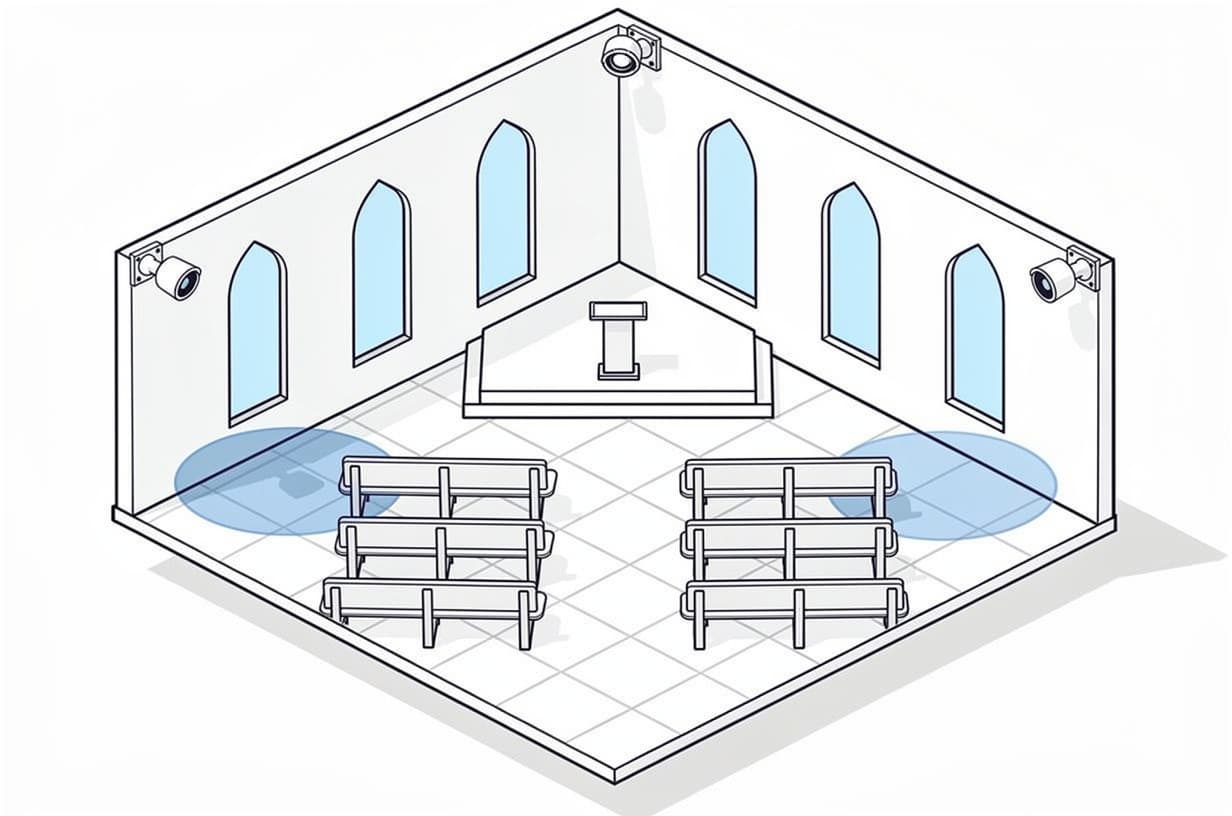
Table of contents
In 2026, church security cameras typically cost $3,000 to $9,000 installed for a small single-building congregation with 4 to 8 cameras, and $9,000 to $35,000 for a mid-size church with an education wing and a parking lot. After installation, expect $0 to $40 a month if you record to an on-site recorder, or $10 to $30 per camera per month for cloud storage. Below: where security cameras for church buildings go, the decisions a committee has to make, the FEMA grant, and how to compare bids.
Get Your Quote — Five minutes. No cost, no obligation.
The fact that sets the spec
A church is open to the public by design, so cameras cover who comes in and where children and cash are, not every room.
That keeps the camera count sane: entrances, the lot, the children's wing and the counting room, not a warehouse perimeter. Audio changes the spec too. In all-party consent states, a camera that records conversations in a lobby creates legal exposure that silent video does not.
What a church security camera system costs
These are the same tiers as our security camera installation cost guide, which carries per-camera unit prices ($300 to $1,500 installed, most commercial IP cameras at $500 to $900) and the storage math. Here they are mapped to how churches are laid out. If the project includes an intrusion alarm, our commercial security system cost guide covers the combined budget.
| Church size | Installed | Recurring | What is included |
|---|---|---|---|
| Small single building (4 to 8 cameras) | $3,000 to $9,000 | $0 to $40/month | Fixed IP dome or turret cameras at the main entrance, lot, children's check-in and office; one PoE switch; one NVR with 30-day retention and phone viewing. $0 a month is an on-site recorder with no cloud and no monitoring. |
| Mid-size church with education wing and lot (8 to 24 cameras) | $9,000 to $35,000 | $40 to $200/month | Exterior coverage of the lot and every door, corridor cameras in the children's wing, fellowship hall and counting room; 30 to 90-day retention; a larger recorder; conduit or lift work for high ceilings; remote-access licensing or cloud backup. |
| Multi-building campus (24+ cameras) | $35,000 to $150,000+ | $200 to $1,000+/month | Sanctuary, school or preschool, gym and outbuildings on one system; 90+ day retention; analytics licensing; redundant storage; often cloud or professional video monitoring. |
Two recurring lines sit outside those tiers and belong on their own rows in any bid. Cloud recording runs $10 to $30 per camera per month for 30-day retention, so an 8-camera cloud system costs $80 to $240 a month, or $4,800 to $14,400 over five years, often more than the hardware. Professional video monitoring runs $50 to $150 per camera per month and is rarely justified for a church outside a high-risk campus.
What moves a church quote
- Masonry and historic buildings. Stone walls, plaster ceilings and 20-foot sanctuaries mean surface raceway, attic cable pulls and lift rentals. Labor on a 1920s sanctuary can run well above a metal-building church with the same camera count.
- Detached buildings and the lot. A fellowship hall 150 feet away needs trenching, a point-to-point wireless bridge or a second small recorder; lot poles need power and conduit. Ask for these as separate line items.
- Retention days. 30 days is the common default; 90 days triples the storage (roughly 1 TB per 1080p camera per month). Your insurer or attorney may want longer for children's areas, so settle retention before bids go out.
Where security cameras for church buildings go
The priority camera locations in a church are the main entrances and greeting area, the parking lot and drop-off lane, the children's wing and nursery check-in desk, the office and the room where offerings are counted, every side and back door, and the gym or fellowship hall. A small church covers those with 4 to 8 cameras; it does not need one in every classroom.
Main entrances and the greeting area
One camera facing inward at each public entrance, mounted to capture faces at door height. This is the footage that identifies a person after an incident, so it earns the best resolution in the building. A second wide camera over the lobby shows movement between the sanctuary, the children's wing and the restrooms.
Parking lot and drop-off
Vehicle break-ins and catalytic converter theft are lot problems, not building problems. Cover the entrance drive (a license plate camera here is worth its price), the drop-off lane and the midweek staff parking area. Dark lots need lighting or infrared-capable cameras.
Children's wing and nursery check-in
Cover the check-in desk, each corridor in the wing, and the door from the wing to the rest of the building. Church insurer Brotherhood Mutual treats this as supervision, not just security: its nursery guidance says people should be able to see into the nursery at all times, and lists video cameras alongside open doors and windows as acceptable ways to prevent the isolation that leads to misconduct allegations. Cameras do not replace the two-adult rule or background checks; they document that you followed them.
Office and the counting room
A camera on the counting room and the safe protects the volunteers as much as the cash: a short count becomes a five-minute review instead of an accusation. Pair it with a two-person counting policy.
Side doors, back doors and the fellowship hall
One camera per exterior door, facing it from inside, catches propped doors and unnoticed exits. The gym or fellowship hall gets one wide camera because rentals, youth sports and community meals are the activities most likely to produce an injury dispute you will want footage for.
The sanctuary
Cameras in the sanctuary are appropriate when they face the entry doors and aisles from a high, discreet mount, not the pews. The purpose is to see who walks in during a service, not to record faces in prayer. Livestream cameras pointed at the platform are not security cameras and should not be sold to you as such.
Where cameras never go
Restrooms, changing areas and any room used for private counselling or confession, with no exceptions. Brotherhood Mutual's surveillance guidance draws the same line: public spaces such as the sanctuary, foyer, classrooms and hallways are generally acceptable, while restrooms, locker rooms and other private spaces are not. Post signs at the entrances; it improves the deterrent and heads off the privacy objection.
What churches actually pull footage for
The FBI reported 11,679 hate crime incidents in 2024, of which the ADL counts 1,938 anti-Jewish incidents, the highest since FBI collection began in 1991. Houses of worship are treated as a target category by the federal government, which is why CISA publishes a dedicated Protecting Houses of Worship program with a free self-assessment tool and its Mitigating Attacks on Houses of Worship security guide. Day to day, the footage a church actually pulls is for lot theft, a Tuesday-night break-in, a dispute in the children's wing or a rental injury claim. Spec for the ordinary incidents; the same cameras serve the rare ones.
Four choices a church committee has to make
Cloud or an on-site recorder
For a volunteer-run building, cloud recording is usually better: no recorder in a closet nobody updates, footage survives a burglary that takes the hardware, and the installer supports it remotely. The cost is $10 to $30 per camera per month, forever. An on-site NVR costs $300 to $3,000 once, can be $0 a month, and suits a church with a reliable tech volunteer or 16-plus cameras where cloud fees get steep. Recommendation: cloud up to about 12 cameras with no IT help; above that, an NVR with cloud backup of the entrance cameras. Our video surveillance and CCTV guide walks through the five-year math.
Monitored or self-monitored
For a typical single-building church we recommend recording plus phone alerts to two or three trustees; video monitoring at $50 to $150 per camera per month pays off only for a documented target or a campus nobody can reach at night. What a church actually needs monitored is the intrusion alarm: a monitored commercial alarm system with a cellular communicator costs $30 to $75 a month for basic intrusion and dispatches police when the building is empty. Recommendation: self-monitor the cameras, professionally monitor the alarm.
Consumer cameras or a commercial system
A church can run doorbell and Wi-Fi cameras, and many small congregations do, but they fail on exactly the church use cases: Wi-Fi drops in masonry, batteries die midweek when nobody is there, retention depends on per-camera consumer subscriptions, and a licensed installer is unlikely to warrant them. A commercial PoE system carries power and data on one cable, records 30 to 90 days, and comes with a licensed installer who is accountable for it. Recommendation: consumer cameras for a church plant renting space; a commercial system once you own the building.
Audio on or off
Audio recording is restricted in all-party consent states, and church cameras should have audio off unless a lawyer approves the signage and notice you intend to rely on. Federal law under 18 U.S.C. § 2511 sets a one-party baseline for recording conversations, but the Reporters Committee for Freedom of the Press counts about eleven states, including California, Florida, Illinois, Maryland, Massachusetts, Montana, New Hampshire, Pennsylvania and Washington, that require every party's consent. Silent video is the safe default; the wiretap statutes are about audio. Recommendation: have the installer disable audio at both the camera and the recorder, and put that in the contract.
Paying for church security cameras
FEMA Nonprofit Security Grant Program
As of October 2026, the FEMA Nonprofit Security Grant Program (NSGP) funds physical security for 501(c)(3) nonprofits at high risk of terrorist or extremist attack, houses of worship included, and FY2026 awards of $300 million went to more than 1,600 organizations on September 28, 2026. Three FY2026 terms matter for a church planning the next cycle, from FEMA's FY2026 Key Changes document: each site can request up to $200,000, a nonprofit may apply for up to three sites per funding stream, and first-time applicants get 15 points added to their score. FEMA's award announcement names security cameras, access control, lighting and gates as eligible uses.
The catches: you apply through your State Administrative Agency, not FEMA, and the window is short. A vulnerability assessment and an investment justification are required, so a church that wants money in the next cycle should have its assessment done and camera quotes in hand before the notice drops. CISA's free houses of worship self-assessment is the usual starting point, and a written installer quote is what turns an assessment into a fundable budget.
Insurer credits and phasing
Ask your insurer in writing whether cameras, a monitored alarm or both earn a premium credit; carriers vary and we found no church insurer that publishes a fixed camera discount, so do not budget for a discount until it is in the policy. More reliably, phase across two budget years: year one covers entrances, the lot and the children's wing on a recorder sized for the final count; year two adds the fellowship hall, side doors and outbuildings. Ask bidders to quote the full design with phase one broken out.
How to compare installer quotes for a church
Bids come back with different camera counts and different ideas of what "included" means. Before comparing price, make every bidder answer the same six things:
- Licensed and insured in your state. Ask for the low-voltage or alarm license number and a certificate of insurance naming the church. Verify the license on the state board site yourself.
- House-of-worship references. Two congregations they have installed in the last three years, with a phone number for the facilities contact, not the pastor.
- Camera count and placement on a floor plan. Every bid should mark each camera on your plan with its type and what it is pointed at. If one bidder has 8 cameras and another has 14, the floor plan tells you whether you are paying for coverage or padding.
- Retention days and where footage lives. 30, 60 or 90 days; cloud or on-site; and who can export a clip for the police or the insurer.
- Monthly fee, contract length and early termination. Commercial monitoring agreements commonly run 36 to 60 months with automatic renewal unless you cancel inside a 30 to 60-day notice window, and early termination is typically the balance of the term. Get the term, the renewal clause and the termination formula on one page.
- Who owns the equipment and who holds the passwords. If the cameras are leased or the recorder is locked to the dealer, you cannot switch installers without starting over. Name the volunteer or staff member who gets admin rights to the app, and make sure the church, not the installer, owns the account.
This is the comparison we run for every building type. A church submits one building profile, each contractor we match prices the same scope, and the quotes come back comparable line for line: cameras, retention, monthly fee, term and equipment ownership. We verify state licenses and certificates of insurance, screen review and complaint history, and match on building-type experience, so a church is not an installer's first sanctuary. We do not install, monitor or sell equipment; contractors pay for the introduction and the church pays nothing.
Frequently asked questions
How much does a security camera system for a church cost?
A small church with 4 to 8 cameras typically pays $3,000 to $9,000 installed, a mid-size church with an education wing and lot pays $9,000 to $35,000 for 8 to 24 cameras, and a multi-building campus runs $35,000 to $150,000 or more. Monthly costs are $0 to $40 with an on-site recorder, or $10 to $30 per camera for cloud storage.
How many security cameras does a small church need?
Four to eight. One facing inward at each public entrance, one or two on the parking lot and drop-off, one at the children's check-in desk, one on the office or counting room, and one per side or back door. A single-building church with one main entrance and a small lot can often be covered with six cameras.
Is it appropriate to have cameras in the sanctuary during worship services?
Yes, if they are mounted high and face the entry doors and aisles rather than the congregation. The purpose is to see who enters during a service, not to record people at prayer. Brotherhood Mutual's surveillance guidance lists the sanctuary among public spaces where cameras are generally acceptable; a livestream camera on the platform does not serve the same purpose.
Should cameras cover the children's ministry and nursery, and what do insurers expect?
Yes. Cover the check-in desk, corridors and the door into the children's wing, but not inside restrooms. Brotherhood Mutual's nursery guidance lists video monitoring alongside open doors and windows as a way to make sure people can always see into the nursery, in addition to the two-adult rule and background checks, which cameras support but do not replace.
Can church security cameras record audio?
Only with legal advice. About eleven states, including California, Florida, Illinois, Maryland, Massachusetts, Pennsylvania and Washington, require every party's consent to record a conversation, and posted signage may not be enough. Silent video is the safe default: have the installer disable audio at the camera and the recorder and document that in the contract.
Does a church need professionally monitored cameras?
Usually not, in our view. Recording plus phone alerts to two or three trustees covers a typical single-building church, and professional video monitoring at $50 to $150 per camera per month is hard to justify outside a high-risk campus. Professionally monitor the intrusion alarm instead; basic commercial alarm monitoring runs $30 to $75 a month and dispatches police when the building is empty.
Are there grants for church cameras?
Yes. FEMA's Nonprofit Security Grant Program funds cameras, access control, lighting and gates for 501(c)(3) nonprofits including houses of worship, with FY2026 requests capped at $200,000 per site and applications routed through each state's administrative agency. The FY2026 round was awarded in September 2026, so a church should prepare its vulnerability assessment and quotes now for the next cycle.
Next step
Church security cameras are a bounded project: a few entrances, a lot, a children's wing and a counting room, priced against tiers you can check. The committee's job is to get three bids that describe the same system and show the monthly fee, the term and who owns the equipment before anyone signs. Submit one building profile and we will match you with licensed, insured contractors who have done houses of worship before, at no cost or obligation. For controlled doors on the children's wing or after-hours intrusion, our access control guide and commercial alarm systems guide cover those, and churches with a school or preschool on campus should read our schools and education page for the mandates that apply there. Other building types we cover are on the industries hub.
Get Your Quote — Five minutes. No cost, no obligation.
Ready to get started?
Talk to our team and see how we can help.